
FFN or FFN Connect? Your accounts, explained
Two similar names, two different things — plus your login for the upload pages on startfill.com. Learn what each one is for, how to create them, and which ones your setup actually needs.
How the accounts relate
The JTL Fulfillment Network (FFN) is where your products, stock, orders and the StartFill cooperation live — everyone needs it, and it is free. FFN Connect is an optional add-on that feeds that network with orders from marketplaces and shops.
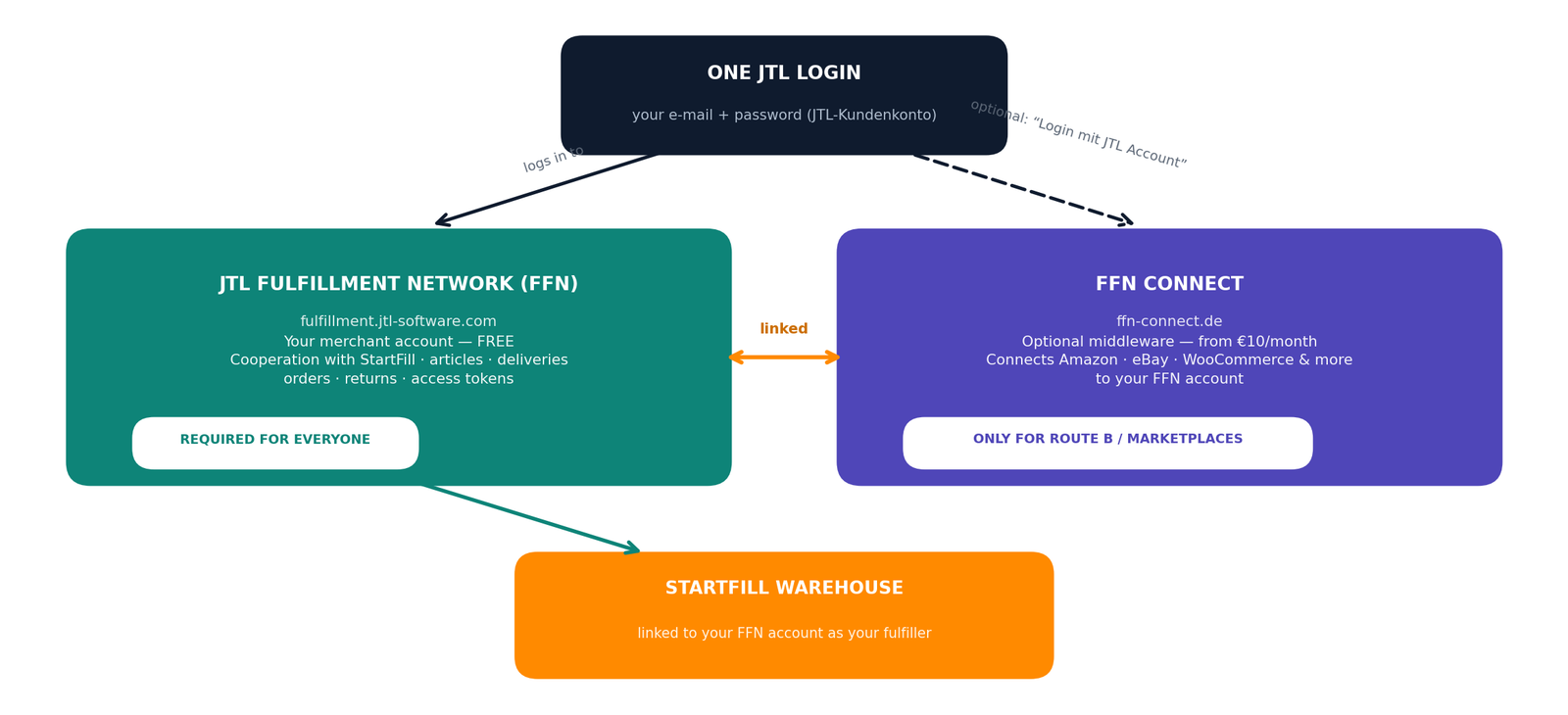
The differences at a glance
JTL Fulfillment Network (FFN)
fulfillment.jtl-software.com
- The fulfillment network itself — StartFill's platform
- Holds your cooperation with StartFill
- Articles, deliveries, orders, returns
- Access tokens (External authorisations)
- Login = your JTL-Kundenkonto
FFN Connect
ffn-connect.de
- Middleware that feeds the FFN with orders
- Connects Amazon, eBay, OTTO, WooCommerce & more
- 14-day free trial, no credit card
- Only needed for marketplaces / Route B
- Log in with your JTL account if you like
startfill.com login
startfill.com — the upload pages
- Signs you in to Announce a delivery and Send your Amazon or CSV orders
- Tied to your FFN account — uploads go there and nowhere else
- Registers new articles and announces deliveries without opening the portal
- Created by StartFill during onboarding
- Not your JTL login, and it does not open the FFN portal
Which accounts do you need?
| Your setup | FFN account | FFN Connect account | startfill.com login |
|---|---|---|---|
| WooCommerce via the StartFill Connector plugin (Route A) | Yes | No | Yes |
| WooCommerce self-service (Route B) | Yes | Yes | Yes |
| Amazon, eBay, OTTO, Kaufland, TikTok Shop | Yes | Yes (required) | Yes |
| No shop connection — orders entered manually / CSV | Yes | No | Yes |
Creating your FFN merchant account
Free, done in about five minutes — and the easiest way is your personal StartFill invitation link: it walks you through registration and starts the cooperation with StartFill automatically.
Open the portal (or your invitation link)
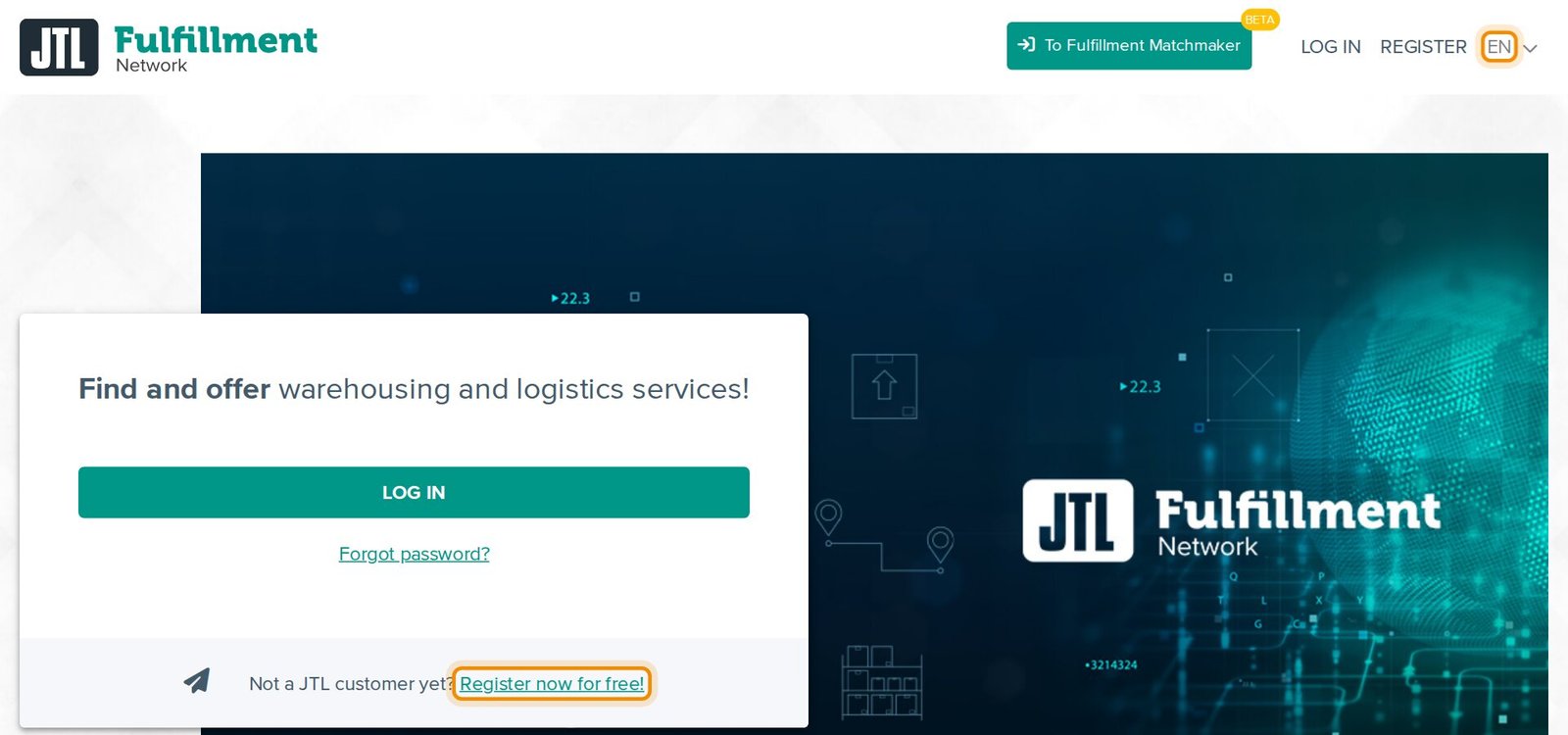
Ask your StartFill contact for your invitation link, or go to fulfillment.jtl-software.com, switch the language to EN at the top right, and click Register now for free! under the log-in box.
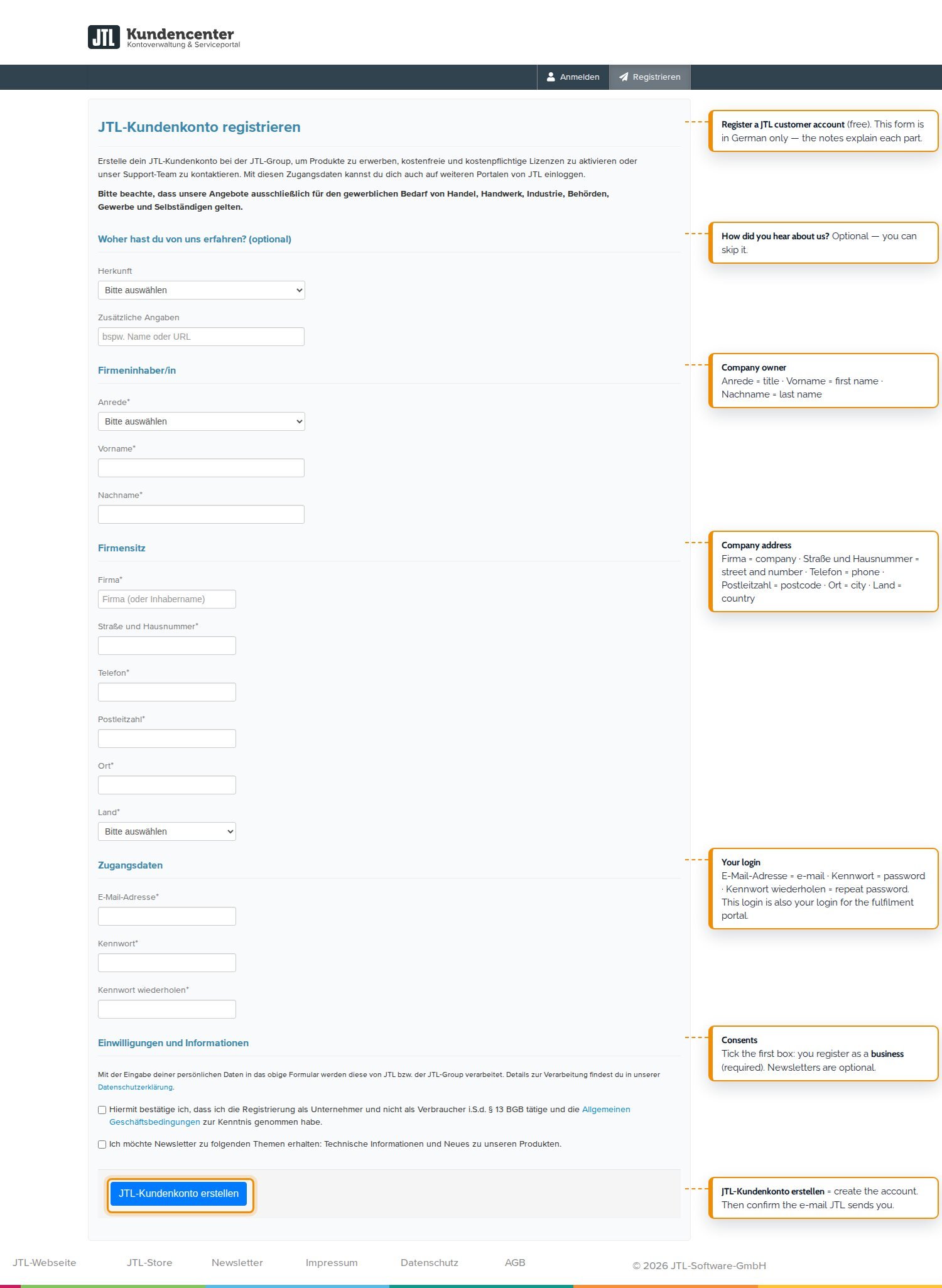
Register your JTL customer account
The registration creates a JTL customer account — company details, e-mail, password. This one login later works for all JTL portals, including FFN Connect. The form is in German only — the screenshot explains every part in English. Tick that you register as a business and click JTL-Kundenkonto erstellen (create account).
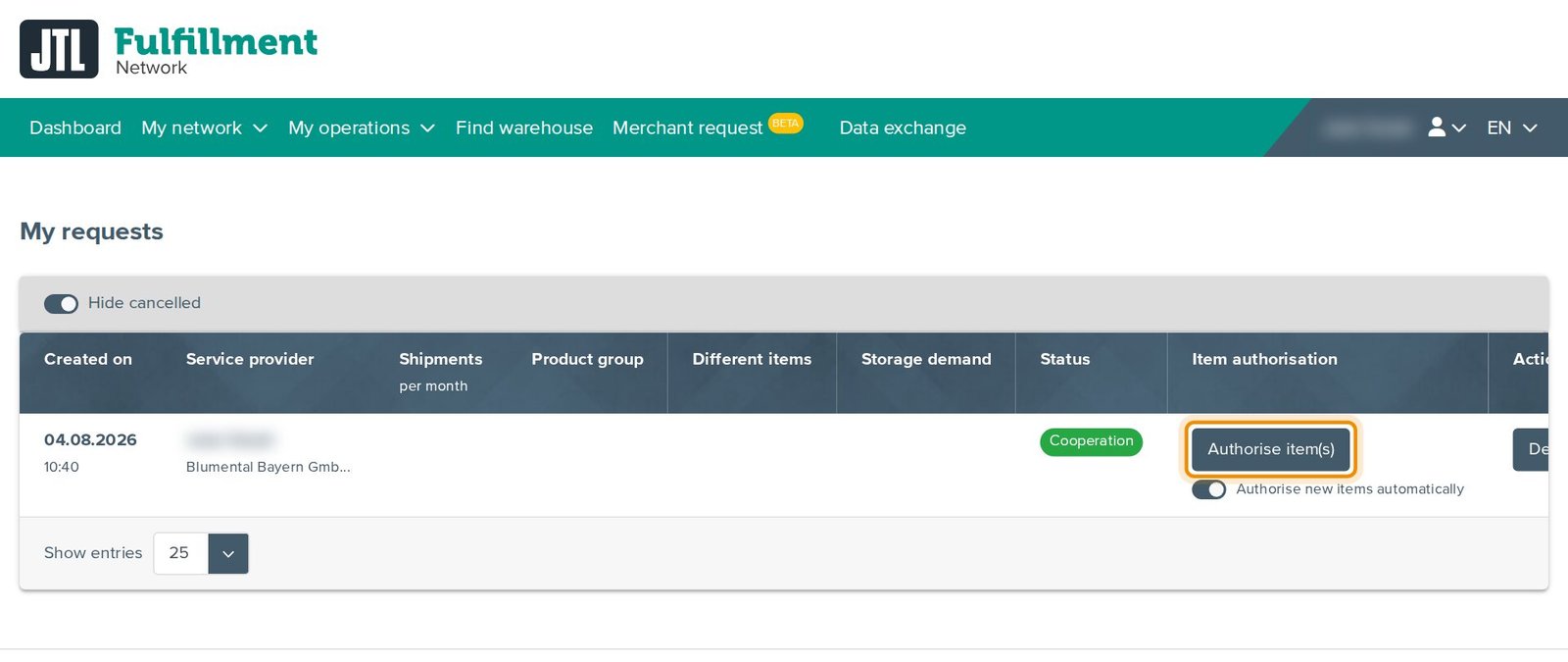
Confirm and connect with StartFill
Confirm the e-mail JTL sends you, log in at fulfillment.jtl-software.com and, the first time, choose the merchant role. Open your invitation link while signed in and send the request. Once we have confirmed it, open My network → My requests, click Details and Initiate cooperation. Then, once: click Authorise item(s) and switch on Authorise new items automatically, so we can see every item you create.
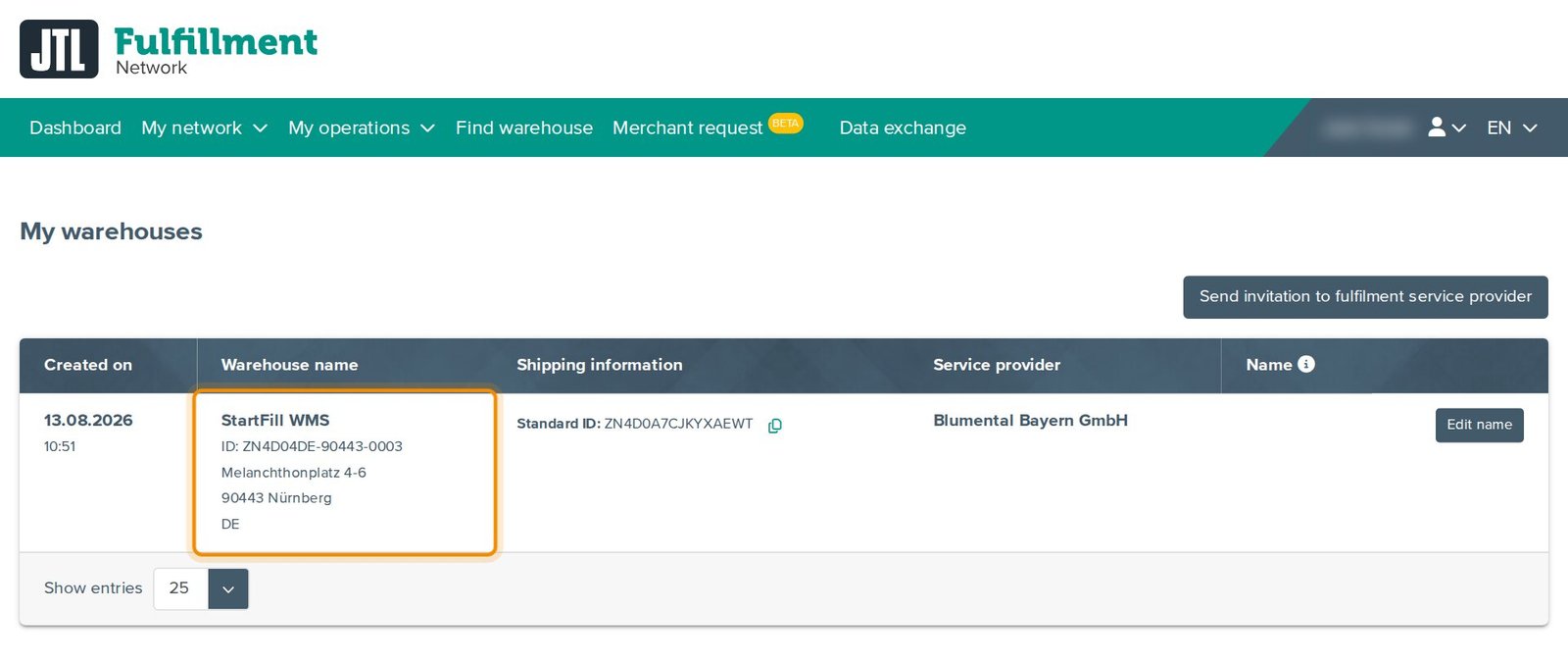
We then assign our warehouse. It appears under My network → My warehouses as StartFill WMS, Melanchthonplatz 4–6, 90443 Nürnberg — usually within about 25 minutes. If it does not show, sign out and in again.
The FFN portal, explained
Every step on the real screens of a StartFill customer account: what the JTL Fulfillment Network is, how to register and connect to StartFill, and how to use items, inbounds, sales orders, returns, data exchange and settings. It also shows what you can do from startfill.com instead — announce deliveries, register new articles and send Amazon orders.
Your startfill.com login
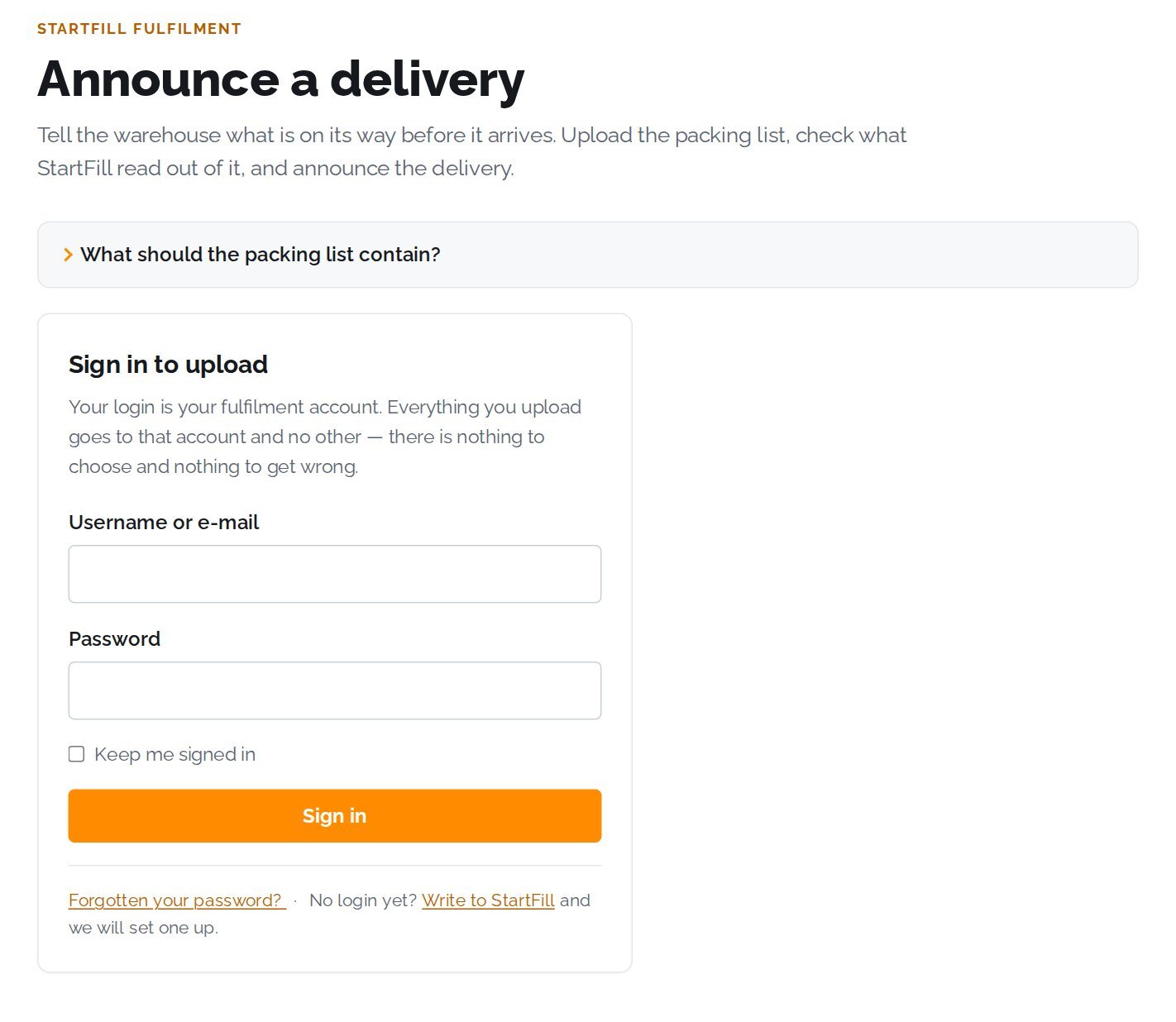
The upload pages on this website — Announce a delivery and Send your Amazon or CSV orders — have their own login. It is tied to your FFN account, so everything you upload goes to that account and no other.
We set it up for you
Once your FFN account is connected to StartFill, we create your startfill.com login and send you the username. No login yet? Write to us and we will set one up.
Sign in on an upload page
Open Announce a delivery or Send your Amazon or CSV orders and sign in with your username or e-mail and password. The page then shows which account you are uploading into, with Sign out next to it. There is no account to choose — nothing can go to the wrong place.
What you can do with it
Announce deliveries from your supplier’s packing list, register new articles in your FFN item list straight from your first packing list, and send the Amazon unshipped-orders report — tracking numbers come back as a file on the same page. Everything you do there shows up in your FFN portal.
Creating your access token
If your shop connects through the free StartFill Connector plugin, the plugin needs permission to create orders in your FFN account. That permission is a personal access token — created by you, inside the FFN portal, so you always stay in control. We do this step together with you during onboarding.
Open “External authorisations”
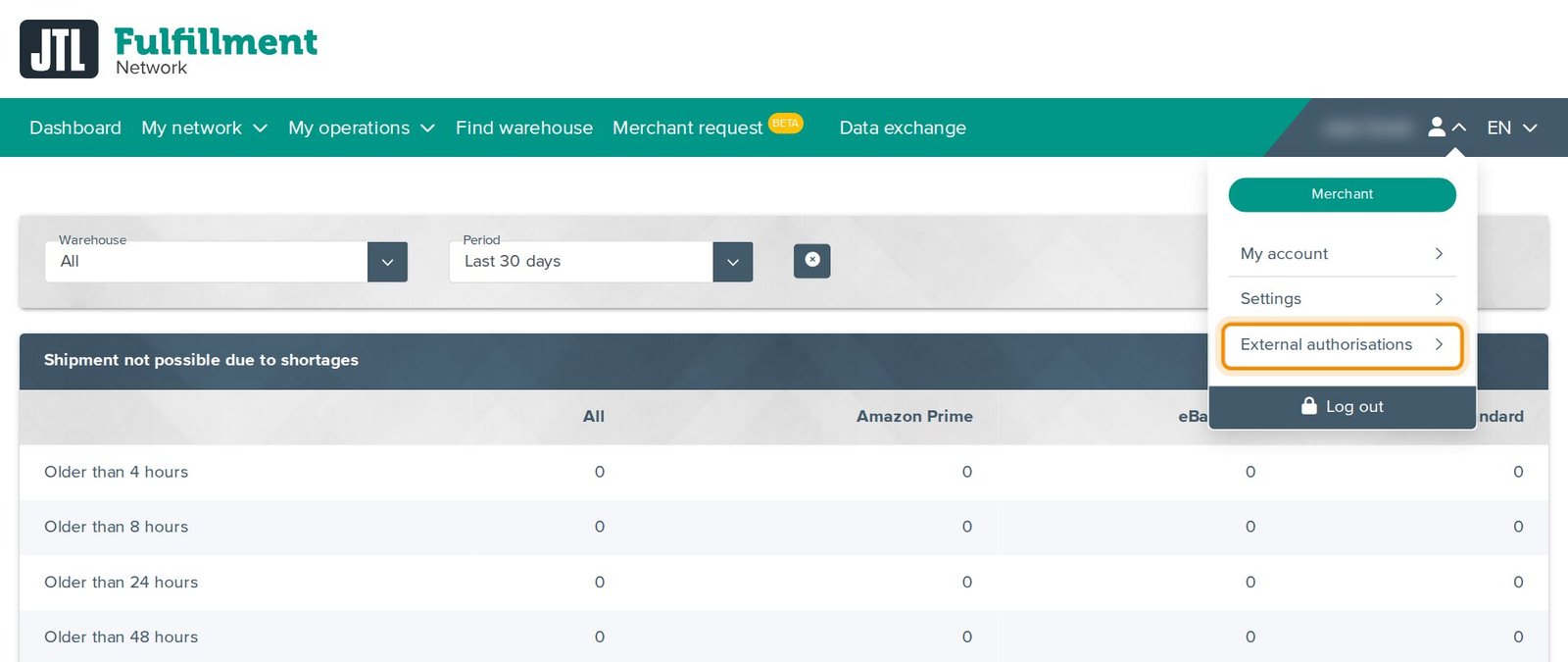
Log in at fulfillment.jtl-software.com, click the person icon top right and choose “External authorisations”.
Create the token
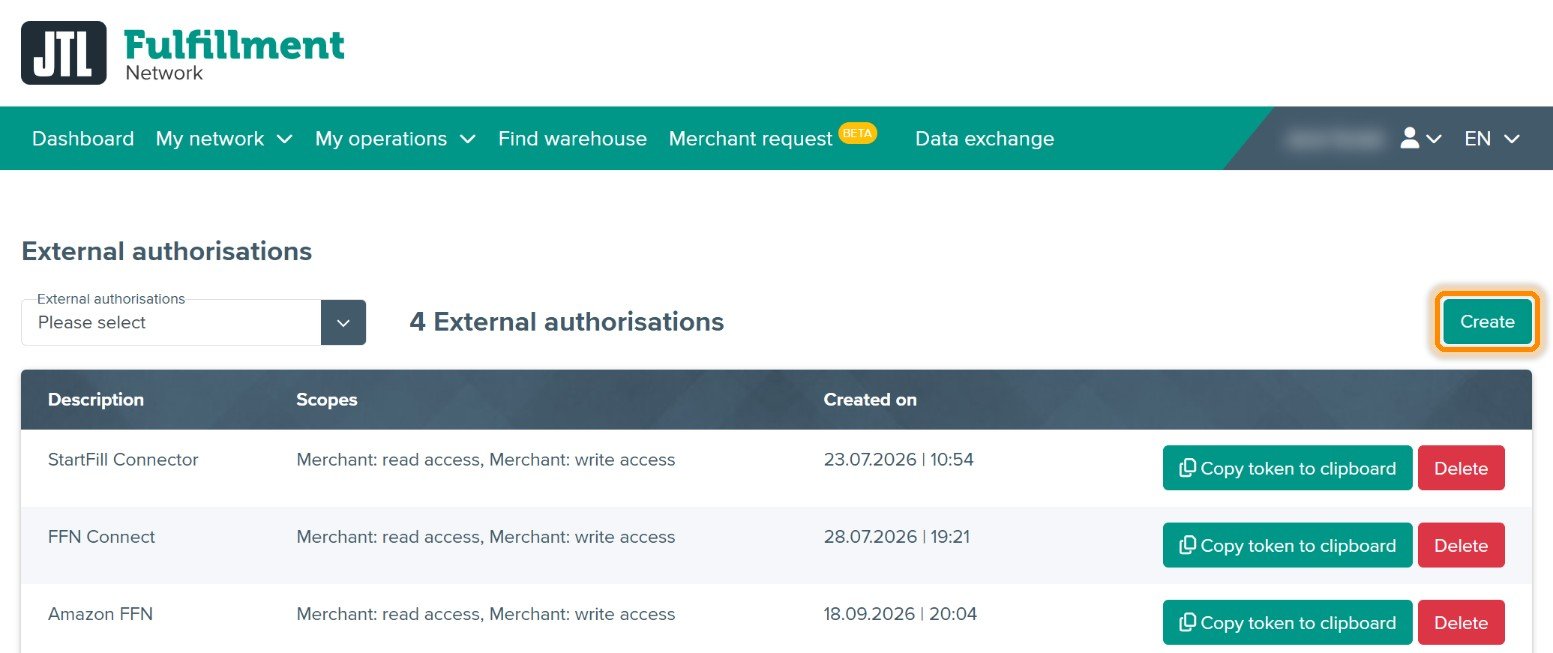
Click “Create”, select the integration type from the dropdown (we tell you which entry to pick — it must not stay on “Please select”), enter a description such as “StartFill Connector” and confirm.
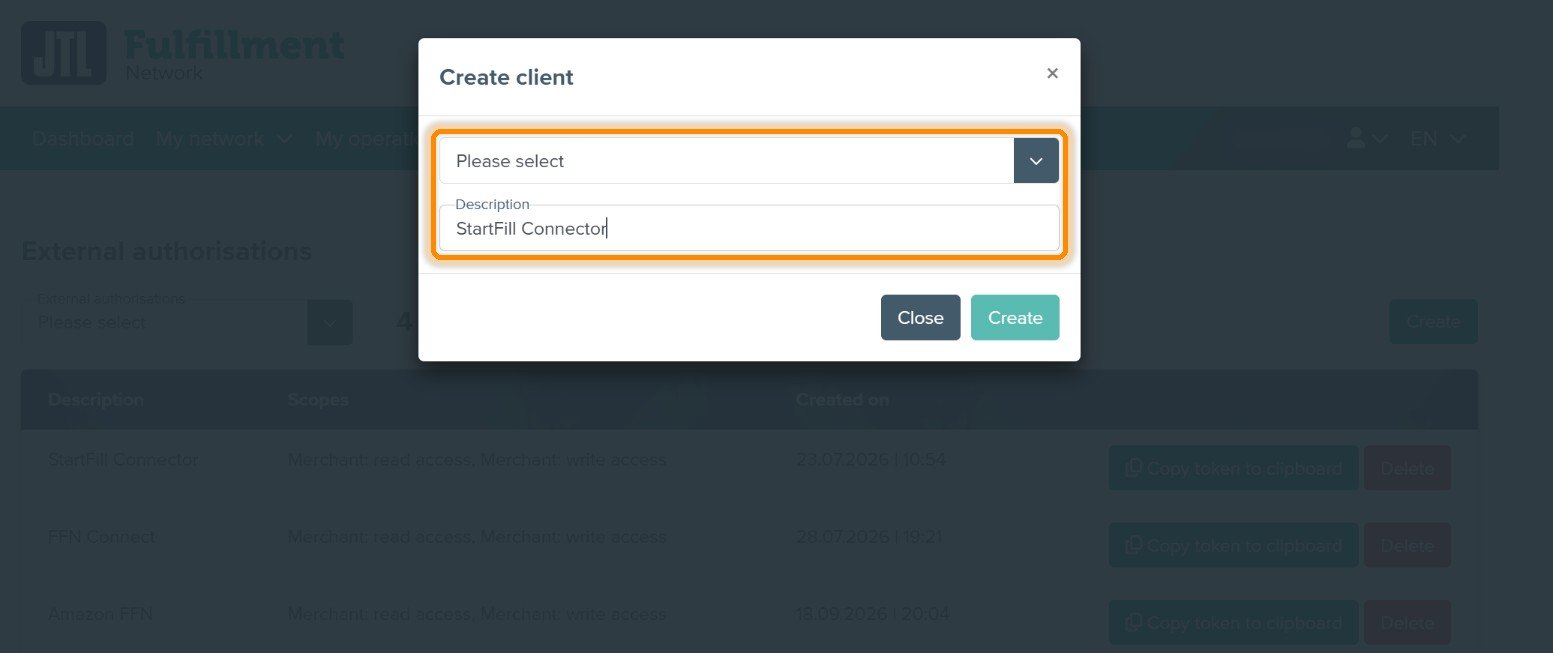
Copy — and revoke whenever you want
The new entry appears with its permissions (Merchant: read access, Merchant: write access). The token itself is never displayed on screen — click “Copy token to clipboard” to copy it, then paste it into the plugin under WooCommerce → FFN Connector or hand it to us via a secure channel. The red “Delete” button is your kill switch: deleting the entry instantly revokes the token.
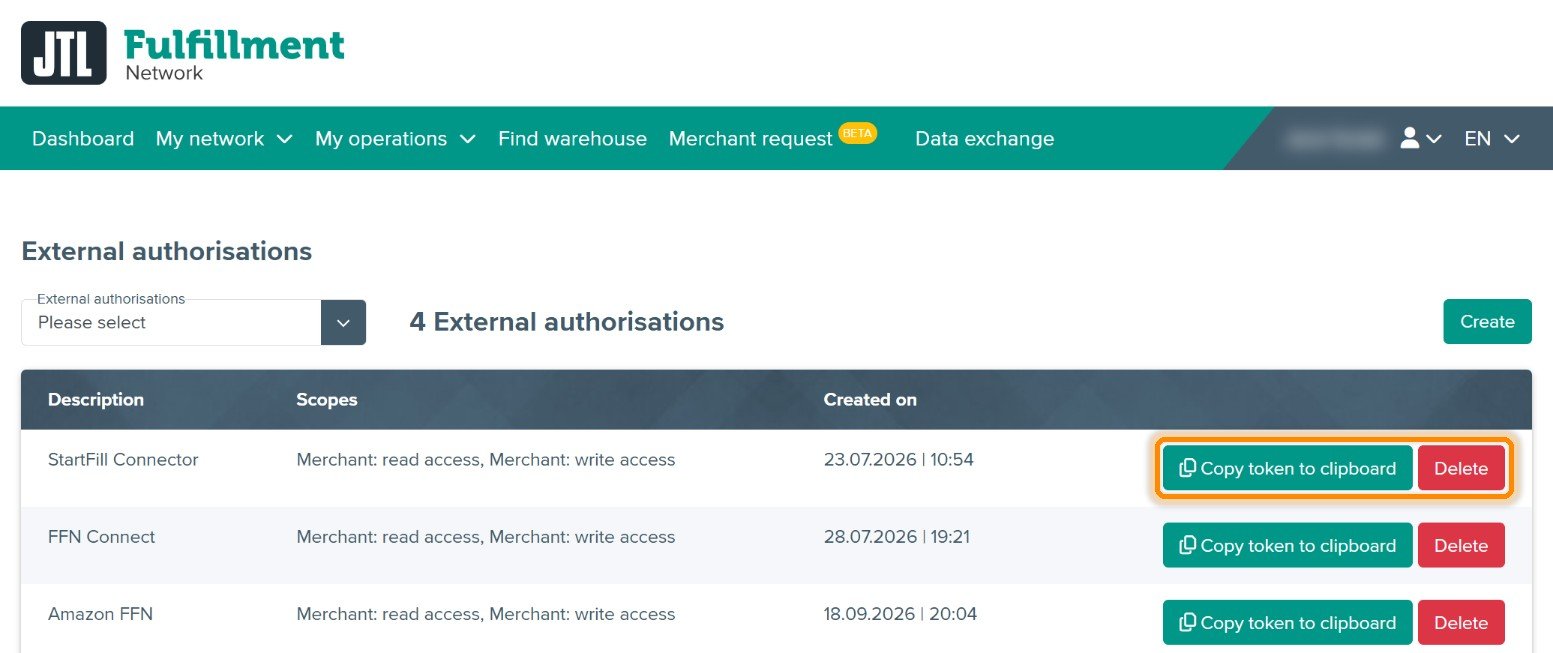
Creating your FFN Connect account
You need FFN Connect if you sell on Amazon, eBay, OTTO, Kaufland or TikTok Shop, or prefer the self-service route for your webshop. WooCommerce-only via the Connector plugin? Skip this part entirely.
Register — free for 14 days
Go to ffn-connect.de and click “Start Free Trial”. Register with e-mail + password — or simply use “Login mit JTL Account” with the login from Part 1. Then activate the trial under Einstellungen → Abo & Rechnungen → Testzeitraum starten (no payment details needed).
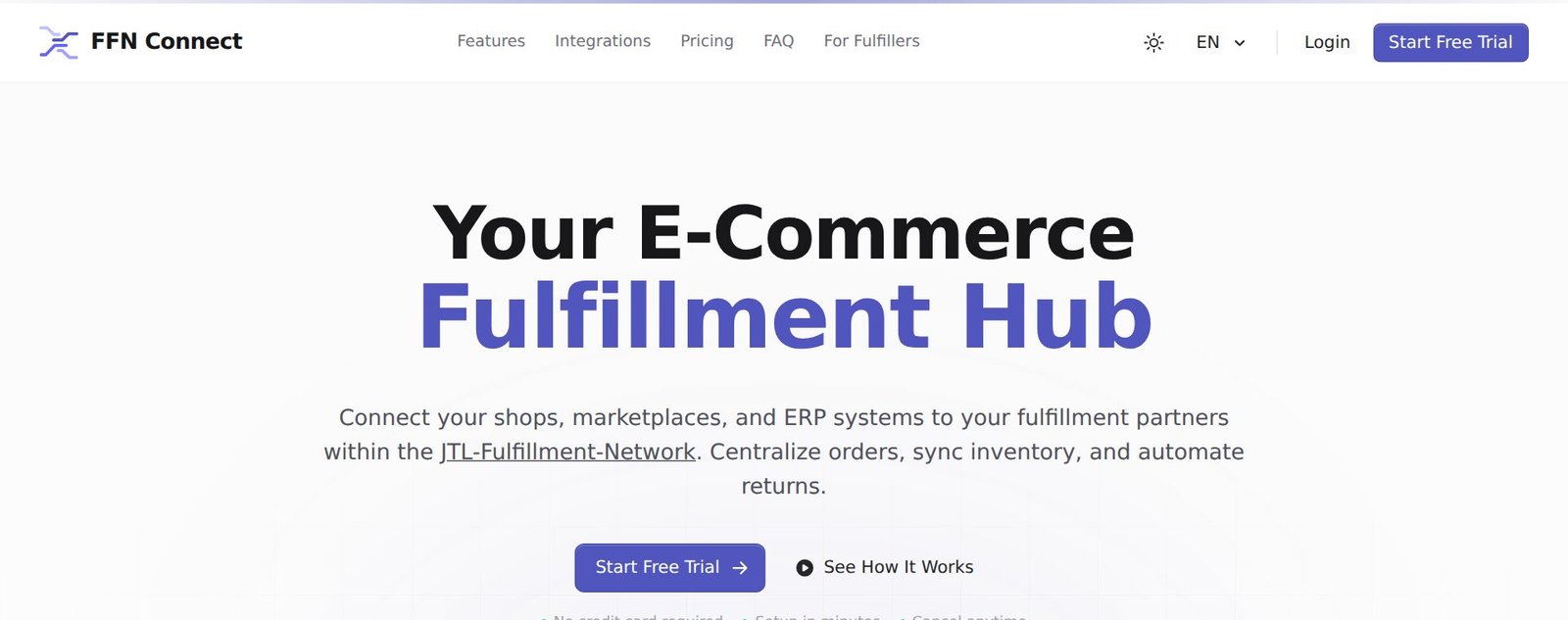
Link your FFN account
Under Einstellungen → Firma & Benutzer, connect your JTL Fulfillment Network Account — this is the bridge that lets your sales channels reach StartFill.
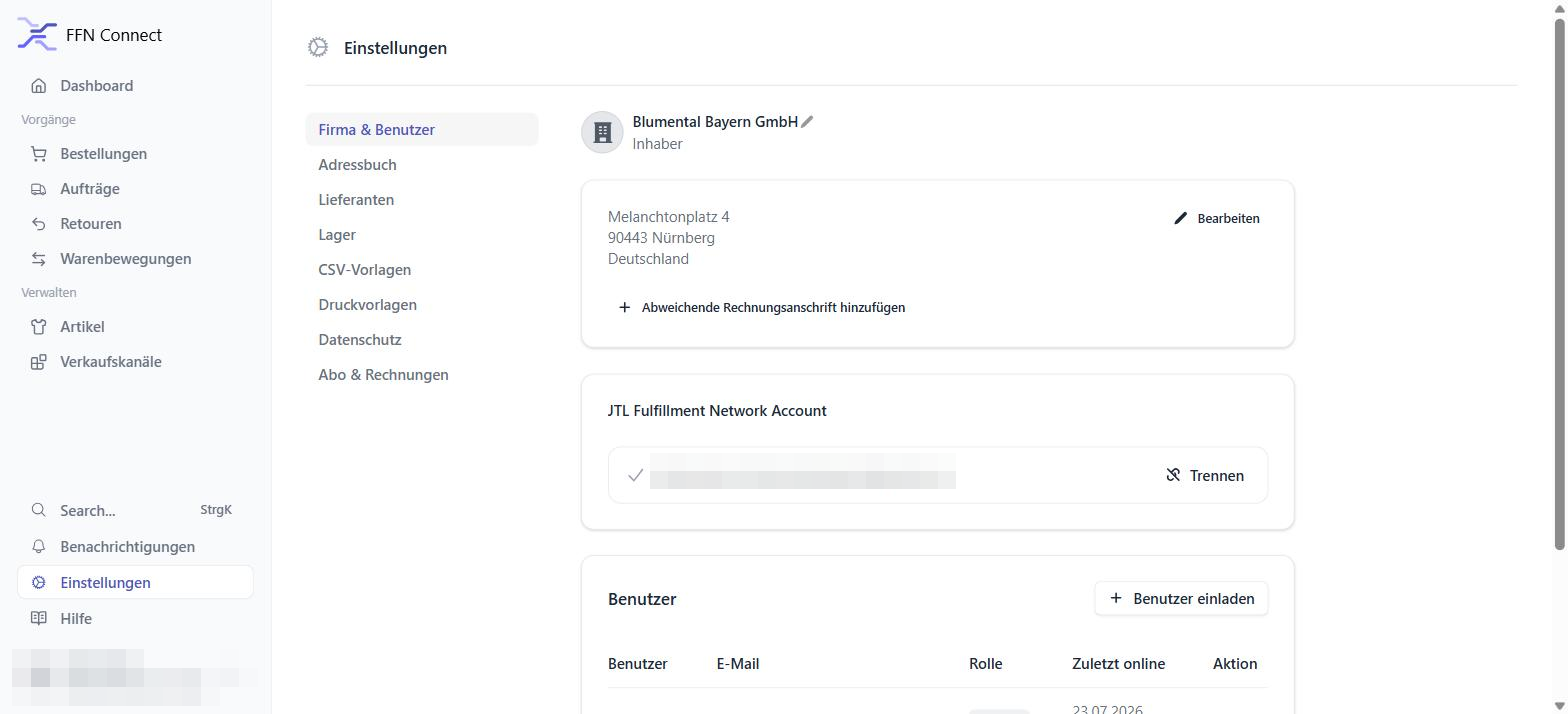
Add your sales channels
One FFN Connect account holds all your channels. Our step-by-step guides walk you through each one:
Accounts FAQ
Is FFN Connect the same as the FFN?
Do I pay anything for the FFN account?
Is my startfill.com login the same as my JTL login?
Can I use one login for both platforms?
I already use JTL-Wawi — do I need any of this?
Which account does the StartFill Connector plugin use?
Who can see my data?
What does StartFill set up for me?
Prefer it as a document?
Download the complete accounts guide as a PDF — including all screenshots — to keep or share with your team.
We'll set up your accounts with you
Book a free 15-minute onboarding call and we create both accounts together via screen share — including the invitation link and your first sales channel.